Ultimate Guide to AI Photos on Bumble
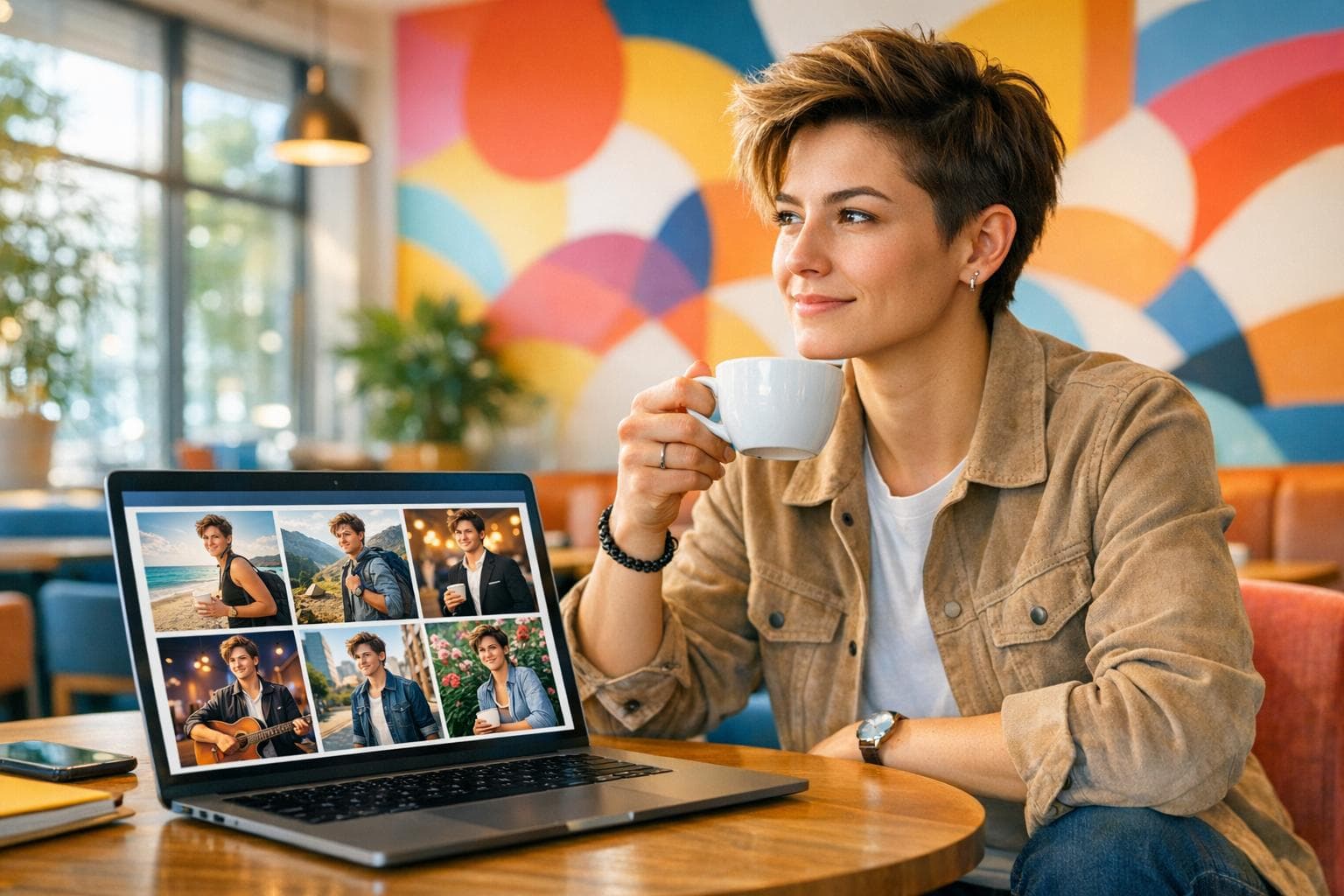
Want to boost your Bumble matches without spending a fortune on professional photos? AI-generated photos might be your answer. These tools create polished, professional-looking pictures from your existing selfies, helping your profile stand out in just minutes. Here's what you need to know:
- Photos matter most on Bumble: They influence swipe decisions within seconds. High-quality images can increase matches by up to 10x, while blurry or poorly lit photos hurt visibility.
- How AI photos work: Upload 5–15 selfies, and the AI generates a variety of high-resolution images tailored for dating apps. Costs range from $29–$49, far cheaper than traditional photoshoots.
- Key benefits: Quick, affordable, and effective. AI photos save time, improve match rates, and align with Bumble’s algorithm for better visibility.
- Tips for success: Use clear, natural photos, fill all six slots, and verify your profile for a 93% match boost.
Bottom line: AI-generated photos are a fast, low-cost way to upgrade your Bumble profile and get more matches. Let’s dive into the details.
Here's how people are using A.I to connect on dating apps
How AI Photos Increase Matches on Bumble
AI photos can significantly improve match rates on Bumble by meeting the platform's standards for high-resolution images, completing profile requirements, and creating visually engaging storytelling. By optimizing your photos to align with these criteria, your profile becomes more appealing and performs better.
How Bumble's Photo Algorithm Works
Bumble employs a sophisticated system to evaluate and rank user profiles. At the core is the Photo Picker AI, which pre-screens each image for technical aspects like focus, brightness, and composition. This ensures that only visually appealing photos are displayed to other users[6]. Additionally, Bumble's Best Photo feature takes things further by automatically A/B testing the first three photos on your profile. It rotates these images to determine which one attracts the most right swipes and then promotes that image to the top spot. As the Bumble Help Center explains:
"The Best Photo feature uses technology to ascertain which of your first three Bumble profile photos gets the most right swipes (or likes) and then puts that pic at the top of your profile." [6]
Having six high-quality images on your profile signals to the algorithm that your profile is complete and engaging, which can further boost its visibility and appeal[2].
Benefits of Using AI Photos
Incorporating AI-generated photos into your Bumble profile offers several advantages:
- High-Quality Images: AI tools produce sharp, well-lit, and high-resolution photos that meet Bumble's strict technical requirements, ensuring your profile looks polished.
- Variety in Settings: AI-generated photos can include diverse backgrounds, from outdoor landscapes to urban scenes, making your profile visually dynamic. This variety is especially useful with Bumble's 2024 "Opening Moves" update, where photos are designed to serve as conversation starters[2].
- Cost and Time Savings: Hiring a professional photographer can cost anywhere from $300 to $800 and take weeks to deliver results. In contrast, AI tools can generate 60 to 100+ photos in just minutes, typically costing between $29 and $49. A 30-day experiment showed that switching from low-quality selfies to AI photos increased matches from zero over 62 days to 236 in just 30 days - roughly $0.12 per match[3].
- Enhanced Body Language: AI-generated images can incorporate subtle but effective cues like open posture, direct eye contact, and relaxed shoulders, making you appear more approachable. Modern AI models also maintain natural skin texture and avoid overly artificial effects, ensuring your photos meet Bumble's face verification requirements while looking authentic[2][3].
How to Use Dating Photo AI for Bumble
Ready to give your Bumble profile a boost with AI-generated photos? Dating Photo AI makes it easy to turn your everyday selfies into professional-quality images designed to catch attention. Here’s how you can use this tool to revamp your profile effortlessly.
Uploading Your Photos
Start by uploading 10–20 selfies or portraits. These should be clear, well-lit, and show a variety of angles - think straight-on shots, 45-degree profiles, and side views. Mix in different expressions, like a genuine smile or a neutral look, and aim for natural lighting. Outdoor photos during the "golden hour" or indoor shots with good lighting work best. Avoid group photos, sunglasses, heavy filters, or blurry backgrounds, as these can interfere with the AI’s ability to learn your features.
Once uploaded, the AI gets to work training a personalized model based on your facial features. This process can take anywhere from 5 minutes to a few hours, depending on the plan you choose.
Generating High-Quality Photos
After your AI model is ready, you can select the "Bumble Photos" or "Dating Headshots" pack to create images tailored for dating apps. Want something more personalized? Use custom prompts to generate unique scenes that reflect your personality. The AI produces over 100 high-quality images, with each one taking about 20 seconds to process.
Once you have your photos, you’ll receive a link to edit or enhance them. Use built-in tools to crop, relight, or make minor adjustments, ensuring your pictures highlight natural skin tones and sharp details. This step is crucial to meet Bumble’s photo quality standards.
Pricing Plans and Options
Dating Photo AI offers flexible plans to suit different needs. Here’s a quick breakdown:
- Starter Plan: Includes 40 AI-generated photos - perfect for testing the service.
- Dater Plan: Provides 80 photos for those who want a bit more variety.
- Casanova Plan: Offers unlimited photos and custom prompts for a fully tailored experience.
These plans are designed to help you upgrade your profile with ease, and annual billing options often come with added savings. With Dating Photo AI, creating a standout Bumble profile has never been simpler.
sbb-itb-06ba92c
Best Practices for AI Photos on Bumble
Enhance your Bumble profile by combining well-crafted AI-generated images with these practical tips to align with the app's algorithm and attract genuine interest.
Choosing Your Primary Photo
Your primary photo is your first impression - it accounts for about 80% of initial swipes [1]. Make it count by choosing a clear, solo headshot where you're making direct eye contact and flashing a natural smile. In fact, over 40% of Bumble users say a natural smile is the top factor in their decision to swipe right [1]. Avoid anything that obscures your face, like accessories or shadows [7][5].
For the best results, use a high-resolution image (at least 1,080 x 1,440 pixels) with a vertical 3:4 aspect ratio. This ensures your photo looks sharp and well-framed on mobile screens [7][6].
"The first photo a potential match sees should be a clear headshot where your face is fully visible. This creates trust and transparency from the start." - Alexander Liebisch [5]
Once you’ve locked in your primary photo, take it a step further by experimenting with different images to see what resonates most.
A/B Testing AI Photos
Bumble’s "Best Photo" feature is a game-changer for optimizing your profile. When enabled, it rotates your first three photos to different users, analyzing which one gets the most right swipes [6][8]. In busier areas, the algorithm can determine a top-performing photo in as little as 24–48 hours. In less active areas, it may take a week or more to gather enough data [6].
To maximize results, swap in a new AI photo as your primary image each week and monitor its impact on match quality and quantity [6]. A smart strategy is to include three different types of AI photos in your top slots: a polished headshot, a full-body action shot, and a candid social photo. This variety gives the algorithm meaningful data to work with. If the algorithm favors a photo that increases matches but not the type of connections you’re looking for, don’t hesitate to manually override it and stick with the image that attracts your ideal matches [6].
Avoiding Over-Editing
AI photos that look overly polished can backfire, creating an "uncanny valley" effect that undermines trust. Features like unnaturally smooth skin, distorted proportions, or mismatched lighting between your face and the background can make your profile seem less authentic [4][3]. In fact, 86% of users report negative experiences when photos appear heavily edited [3].
To avoid this, carefully review each photo for natural skin texture, realistic lighting, and consistent backgrounds. Ensure the lighting on your face blends naturally with the surroundings - no odd shadows or artificial glows [4]. Photos should reflect your true appearance without exaggeration or distortion [3].
"The goal isn't to become a different person. It's to get dating profile pictures that look like they were taken by a talented friend on a day you were feeling your absolute best." - Alexander Liebisch [4]
AI Photos vs. Professional Photography
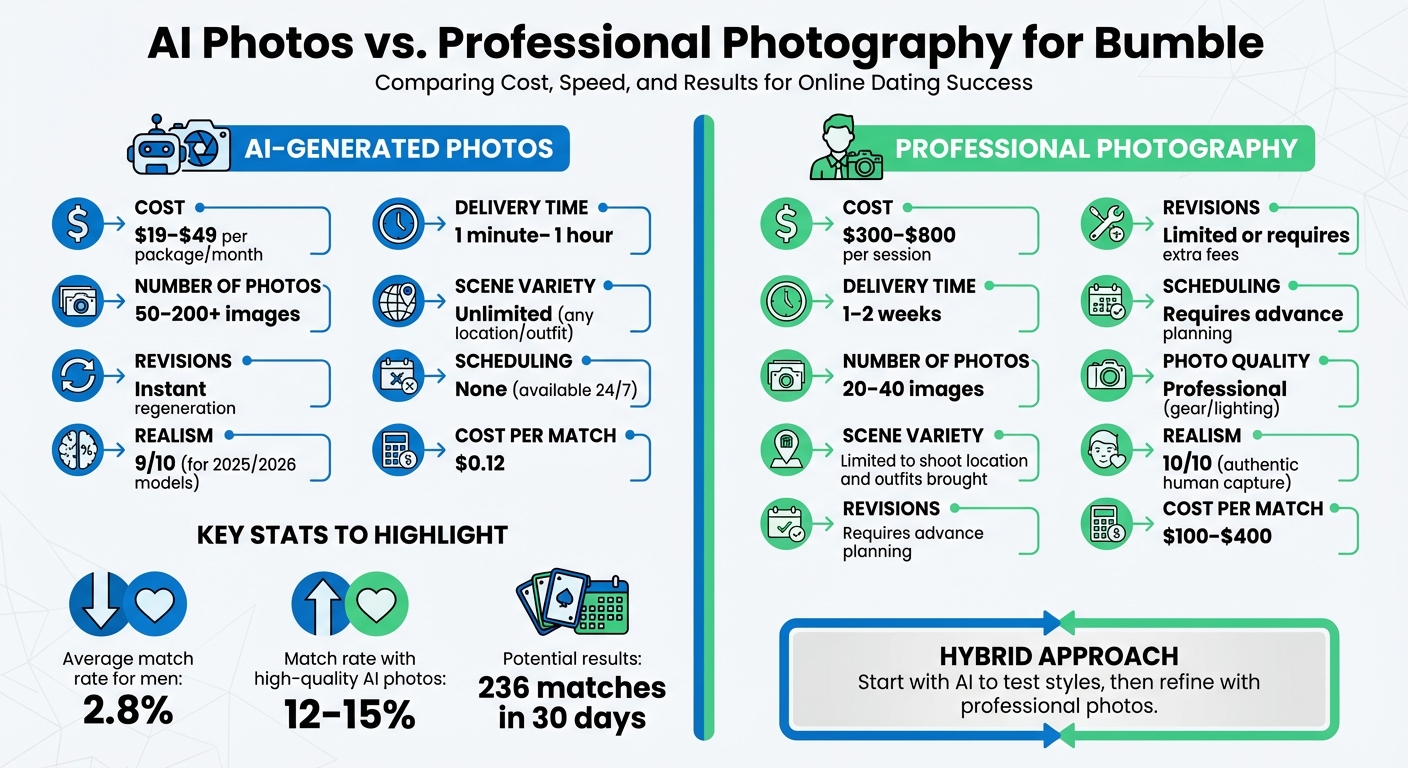
AI Photos vs Professional Photography for Bumble: Cost, Speed, and Results Comparison
Both AI-generated photos and professional photography can play a big role in boosting your Bumble match rate. Let’s break down the differences so you can decide which option works best for your profile.
AI photo packages are much more budget-friendly, typically ranging from $19 to $49 per month, compared to professional photography sessions, which can cost anywhere between $300 and $800 [3]. To put it into perspective, AI photos can bring your cost per match down to as little as $0.12, while professional photos may cost $100 to $400 per match [3].
"A professional dating photoshoot can cost hundreds of dollars and feel awkward. AI gives you quality results for a fraction of the price." – Alexander Liebisch [4]
Speed is another major factor. AI tools can deliver results almost instantly - sometimes in as little as one minute. On the other hand, professional photographers usually need 1–2 weeks to edit and deliver your photos [3]. If you’re in a hurry to refresh your profile or want to experiment with different styles quickly, AI is the way to go. However, professional photographers offer unique advantages, such as confidence coaching, capturing authentic group or social shots, and using advanced lighting techniques that AI simply can’t replicate [3].
For the best of both worlds, consider a hybrid approach. Start with AI-generated photos to test which looks and styles resonate most with your audience. Once you’ve identified what works, you can schedule a shorter, more targeted professional session to refine your profile [3]. Services like Dating Photo AI make this easy with plans like Starter (40 photos), Dater (80 photos), and Casanova (unlimited photos with custom prompts). These options let you generate diverse images without the hassle of scheduling or traveling for a photoshoot.
Comparison Table: AI Photos vs. Professional Photography
| Feature | AI-Generated Photos | Professional Photography |
|---|---|---|
| Cost | $19–$49 per package/month | $300–$800 per session |
| Delivery Time | 1 minute–1 hour | 1–2 weeks |
| Number of Photos | 50–200+ images | 20–40 images |
| Scene Variety | Unlimited (any location/outfit) | Limited to shoot location and outfits brought |
| Revisions | Instant regeneration | Limited or requires extra fees |
| Scheduling | None (available 24/7) | Requires advance planning |
| Photo Quality | High (optimized for mobile) | Professional (gear/lighting) |
| Realism | 9/10 (for 2025/2026 models) | 10/10 (authentic human capture) |
Conclusion
Why AI-Generated Photos Are a Game-Changer
Using AI-generated photos can dramatically improve your Bumble match rate without breaking the bank. Instead of spending $300 to $800 on a traditional photoshoot, you can get professional-quality images for just $19 to $49. Even better, the results are ready in one minute, compared to the 1 to 2 weeks you'd wait for a photographer.
Here’s the impact: the average match rate for men on dating apps is a mere 2.8%, but high-quality AI photos can bump that up to 12-15%. Some users have even reported getting 236 matches in 30 days, with a cost per match as low as $0.12. That’s a huge leap for anyone looking to make meaningful connections.
Steps to Transform Your Profile
Ready to see similar results? Start by gathering 8 to 15 diverse source photos - aim for a mix of angles, lighting, and expressions. Once you’ve got your photos, Dating Photo AI makes the process simple with three plans: Starter (40 photos), Dater (80 photos), and Casanova (unlimited photos with custom prompts).
Upload your photos and let the AI create polished images that highlight your best features. To maximize your matches, follow these tips: pick a strong primary photo, fill all six photo slots, and use Bumble's Photo Verification feature to build credibility. With these steps, you could experience results like an 8x increase in right swipes or even go from no matches to dozens in just a few weeks.
FAQs
How do AI-generated photos compare to professional photography in terms of cost and results?
AI-generated photos offer a budget-friendly and quick alternative to professional photography, making them a great option for Bumble profiles. In the U.S., hiring a professional photographer can cost anywhere from $200 to $900 per session, which includes shooting, retouching, and travel expenses. On the other hand, AI services like Dating Photo AI provide polished, ready-to-use images starting at just $19 to $49.
The turnaround time for AI photos is remarkably fast - often just a few hours. These images come with a consistent, professional look and can help improve match rates significantly. While professional photography provides benefits like personalized guidance, custom lighting setups, and a higher level of artistic detail, it requires more time and effort for planning and execution. If you're looking for a quick, affordable way to upgrade your Bumble profile, AI-generated photos are a smart choice. However, for those who want a completely tailored and artistic approach, professional shoots remain the go-to option.
What are the best tips for using AI-generated photos on Bumble?
When adding AI-generated photos to your Bumble profile, focus on images that feel genuine and natural. Bumble emphasizes the importance of clear, high-quality pictures where your face is easily visible. Steer clear of overly edited or artificial-looking images, as these can come across as untrustworthy. Make sure the AI captures your actual features, expressions, and skin tone accurately to meet Bumble’s verification standards.
Showcase different aspects of your personality through a mix of photos. Include pictures from various settings - whether it’s a casual hangout, a favorite hobby, or a travel adventure. This not only makes your profile more engaging but also helps potential matches get a better sense of who you are. Just remember to stick to Bumble’s rules, like keeping your face clearly visible, and aim for realistic scenarios that reflect your everyday life.
Lastly, take advantage of Bumble’s “Best Photo” feature to figure out which image resonates most with others. Upload a few AI-generated options and let the app determine the top performer for your main profile picture. This way, you can fine-tune your photo choices to boost your match potential while staying true to your authentic self.
How can I make my AI-generated photos look more natural on Bumble?
To make your AI-generated photos blend seamlessly on Bumble, pay attention to the finer details that mirror real-life photography. Start with soft, natural lighting - think sunlight streaming through a window or the warm glow during golden hour. This helps create realistic shadows and adds depth to the image. Adding a touch of texture or grain can also help avoid that overly smooth, artificial look.
Embrace small imperfections, like slight asymmetry in facial features or variations in lighting. These quirks make a photo feel more lifelike. Opt for natural backgrounds, such as a cozy coffee shop or a lush park, instead of polished studio settings. Lastly, preview the photo on your phone. If it looks too sharp or flawless, tweak the contrast or saturation to tone it down and achieve a more natural vibe.