AI Photos on Hinge: What Users Need to Know
AI-generated photos are shaking up online dating, especially on platforms like Hinge. Here's what you need to know:
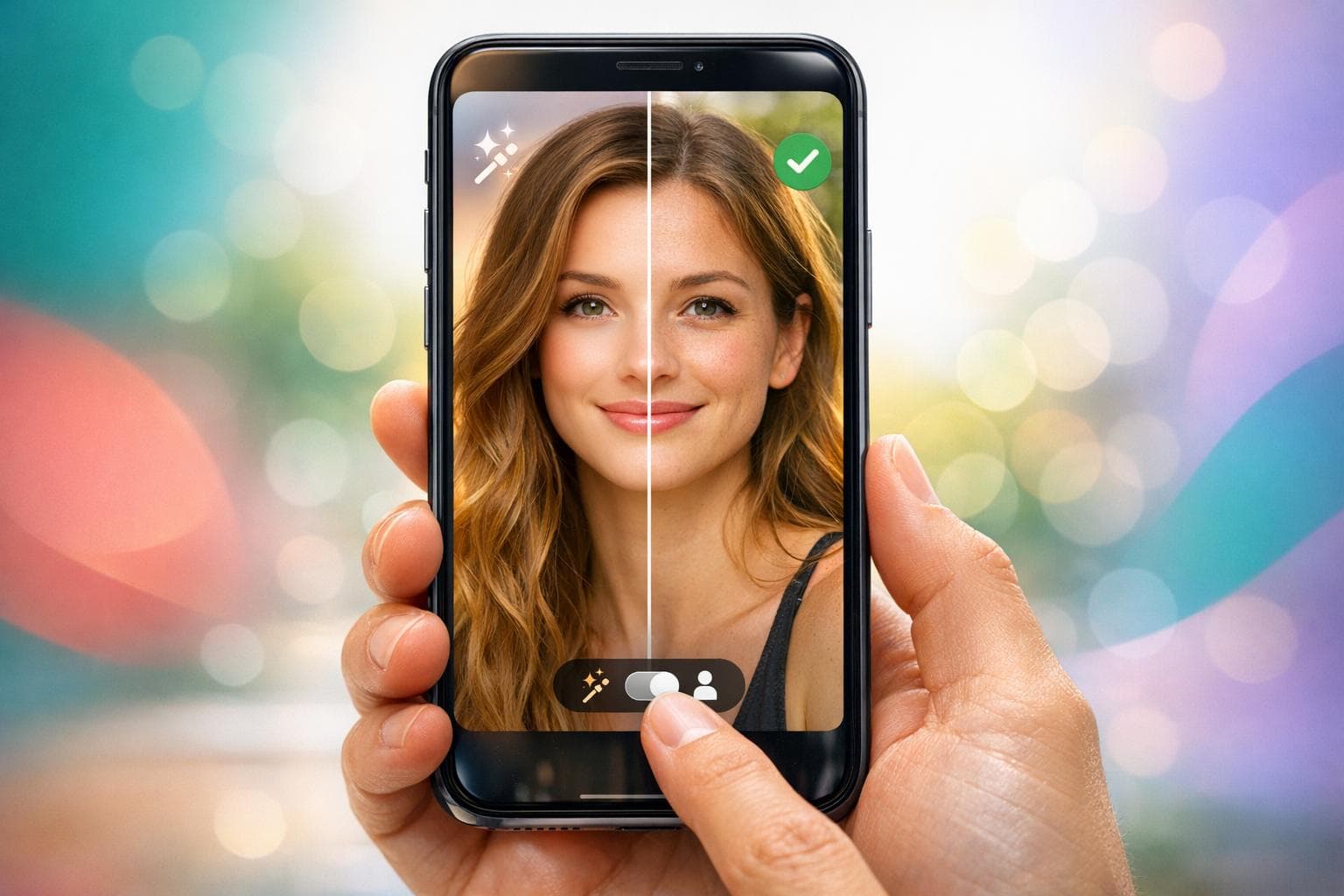
- What Are AI Photos? These are high-quality, computer-generated images created using your selfies and specific prompts. They aim to make your profile stand out.
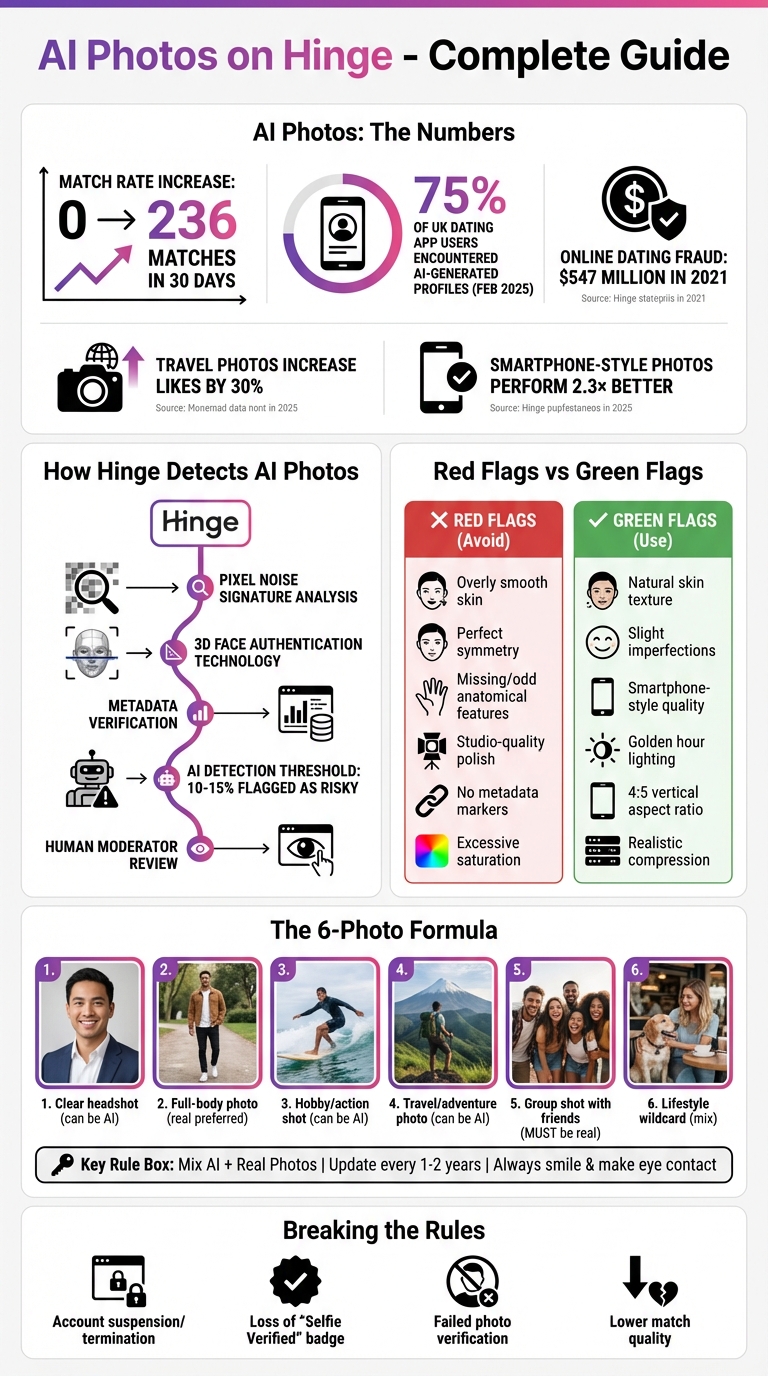
- Do They Work? Yes, experiments show AI photos can boost dating matches. For instance, one test saw matches jump from 0 to 236 in 30 days just by swapping poor-quality real photos with AI-generated ones.
- Hinge's Rules: AI photos are allowed but must reflect your real appearance. Misleading or excessively altered images can result in account suspension.
- Challenges: Hinge uses advanced tools to detect AI photos, and overly polished images can fail verification or erode trust. Mixing AI photos with real ones is key to staying authentic.
- Best Practices: Use AI tools that mimic natural smartphone photos, avoid over-editing, and include real photos to build trust. Profiles that showcase personality and interests perform better.
AI photos can help your Hinge profile gain attention, but balance is crucial. Use them wisely to attract genuine matches while staying within the platform's guidelines.
AI Photos vs Real Photos on Hinge: Pros, Cons and Best Practices
Common Problems with AI Photos on Hinge
Detection and Authenticity Concerns
Hinge employs proprietary detection models that go beyond surface-level analysis to examine photos at the pixel level [6]. These systems detect "pixel noise signatures", which are mathematical patterns unique to AI-generated images. Unlike the hardware-specific noise from real camera sensors, these patterns are consistent and recognizable [6]. Even if an AI-generated photo looks flawless to the human eye, Hinge’s algorithms can identify subtle texture patterns in skin, hair, or fabric that give it away [6].
A February 2025 study revealed that 75% of UK dating app users reported encountering AI-generated profiles [6]. Photos that appear overly polished - like those with unnaturally smooth skin, perfect symmetry, or odd anatomical features (e.g., missing ears or oddly shaped irises) - can erode trust and make it harder to form genuine connections [1][2]. AI detection tools, such as decopy.ai, flag any image scoring above 10-15% AI-generated as "risky" for use on platforms like Hinge [6].
These detection methods not only challenge the authenticity of profiles but also complicate the verification process, as explained below.
Photo Verification Issues
Hinge’s verification system relies on 3D Face Authentication, which compares the facial geometry in your profile photos to a live video selfie [7]. AI-generated images that alter facial features or smooth them excessively often fail this comparison, leading to verification rejection [7][1]. Additionally, Hinge checks for metadata - real smartphone photos carry unique metadata markers that AI-generated images often lack or misrepresent [6][1].
If you upload AI-generated photos after earning a "Selfie Verified" badge, you risk losing your verification status immediately [7]. As watermarking techniques evolve, attempts to bypass these checks are becoming increasingly difficult.
These verification challenges can also have a ripple effect, influencing the quality of matches you receive.
Lower Match Quality
AI-edited photos can create unrealistic expectations, leading to disappointment when meeting in person. Studies show that these images often result in mismatched expectations. Board-certified psychiatrist and dermatologist Evan Rieder explains:
"The more images I see of glass skin, the more I'm going to be desensitized to it... That can actually warp what you find to be attractive" [2].
Additionally, generic AI headshots fail to showcase your personality, interests, or social energy - key factors for meaningful connections on Hinge. While AI photos might draw more likes initially, they often attract matches based on an artificial version of yourself. This mismatch underscores the importance of using photos that genuinely reflect who you are, a topic we’ll explore in the next section.
sbb-itb-06ba92c
Hinge's Rules on AI-Generated Photos
Photo Use Terms of Service
Hinge has set clear guidelines for using AI-generated photos, aiming to keep profiles genuine and trustworthy. While AI-generated photos are allowed, they come with strict conditions. According to Hinge's Terms of Service, generative AI images, audio, or video can be part of your profile, but they must not "misrepresent yourself or your intentions" [3]. In simple terms, the photos should still reflect your real appearance - no creating entirely fake personas or drastically altering how you look.
To maintain authenticity, Hinge requires at least one clear facial photo on every profile [8]. This rule ensures that all profiles meet a basic standard of transparency. Additionally, the platform generally bans content that "was not written by you or was automatically generated, unless expressly authorized by Hinge" [8]. If you choose to use AI-enhanced photos, they must accurately represent your actual appearance [8].
Breaking these rules has serious consequences. Hinge’s Terms specify that profiles violating these guidelines will be removed [11], and offenders may face immediate account suspension or termination [11]. The platform uses both AI tools and human moderators to identify violations and encourages users to report any suspected misuse [3][8].
These rules tie directly into Hinge's robust verification process, which ensures profiles remain authentic.
How Photo Verification Works
Hinge’s verification process is designed to uphold its strict content guidelines. The platform uses Selfie Verification, which combines machine learning with human oversight to ensure your profile photos match your real-life appearance [9]. This involves uploading a video selfie, analyzed using 3D Face Authentication technology [7]. The system checks the facial geometry in your video against the faces in your profile photos.
If your AI-enhanced photos don’t align with your actual features, you won’t pass verification [7]. Additionally, if you update your profile photos after earning a "Selfie Verified" badge, you could lose your verification status immediately [7]. To further improve security, Hinge began testing facial recognition scans in select countries as of February 2026 [10]. Jarryd Boyd, a Hinge spokesperson, highlighted the platform's dedication to user safety:
"As romance scammers find new ways to defraud people, we are committed to investing in new updates and technologies that prevent harm to our daters" [9].
This focus on verification comes in response to a growing issue - online dating fraud hit a record $547 million in 2021, prompting platforms like Hinge to prioritize security measures [9]. By December 2025, Hinge had made Selfie Verification available to all users [9].
Best Practices for AI Photos on Hinge
Choose Quality AI Photo Tools
When selecting AI tools for your dating profile, go for ones that produce natural, smartphone-style portraits rather than overly polished, studio-quality headshots. Why? These smartphone-style images perform up to 2.3× better on dating apps like Hinge [12].
The key is to pick tools that preserve natural skin textures, hair details, and even small imperfections. Avoid tools that smooth everything into an artificial finish - it’s a dead giveaway. The best AI tools add subtle elements like micro-noise, soft edges, and compression patterns that mimic real smartphone photos, making them indistinguishable from the real deal [1]. Overly edited images, on the other hand, can raise red flags with both users and Hinge’s system checks.
For example, Dating Photo AI specializes in creating profile photos with natural textures and authentic smartphone-like quality. Their plans range from a Starter option (40 photos) to the Casanova plan, which offers unlimited photos with custom prompts. It’s a cost-effective alternative to traditional photoshoots, which can run anywhere from $500 to $2,000 [4].
Steer clear of tools that create images with excessive symmetry, unnatural reflections, or overly saturated backgrounds [1]. Once you’ve got high-quality photos, the next step is tailoring them to Hinge’s profile format.
Match Hinge's Profile Style
The right photos aren’t just about quality - they also need to align with Hinge’s visual and conversational vibe. Hinge profiles thrive on images that highlight approachability, warmth, and personality rather than looking like they belong in a modeling portfolio [1].
Here are some tips to make your photos Hinge-friendly:
- Use a 4:5 vertical aspect ratio to ensure your photos fit the screen perfectly without awkward cropping [13].
- Opt for presets that mimic "golden hour" lighting - soft, natural light just after sunrise or before sunset. This lighting is flattering and creates a natural, inviting look [13].
- Consider travel-themed or scenic images. Photos showing engaging settings like hiking trails, coffee shops, or landmarks can increase likes by 30% [4].
- Fill all six photo slots available on Hinge. A complete profile boosts your algorithm ranking [13]. Include:
- A clear headshot
- A full-body photo
- An action or hobby shot
- A travel or adventure photo
- A group shot with friends for social proof
- A lifestyle “wildcard” [15]
Profiles where you’re smiling and making direct eye contact tend to attract more likes. And remember, authenticity isn’t just about passing Hinge’s verification - it’s about building trust with potential matches.
Mix AI Photos with Real Photos
To keep things genuine, combine AI-generated images with real, unedited photos. This mix not only enhances authenticity but also reassures potential matches that you're a real person [1][13]. Use AI for aspirational scenarios - like a yacht, a mountain peak, or a professional kitchen - but make sure these reflect your actual interests [13].
Always reserve at least one or two slots for real photos, especially group shots with friends. These provide social proof and show that you’re well-rounded and approachable [13].
Here’s a quick tip: Use the "squint test" to ensure the lighting and color tones in your AI photos match your real ones. This consistency makes your profile feel cohesive and natural [13]. Also, refresh both your AI and real photos every 1–2 years to keep your profile up-to-date with your current look [13].
Men Are Buying AI Dating Photos… Here’s Why It’s a Problem
Using Dating Photo AI for Your Hinge Profile
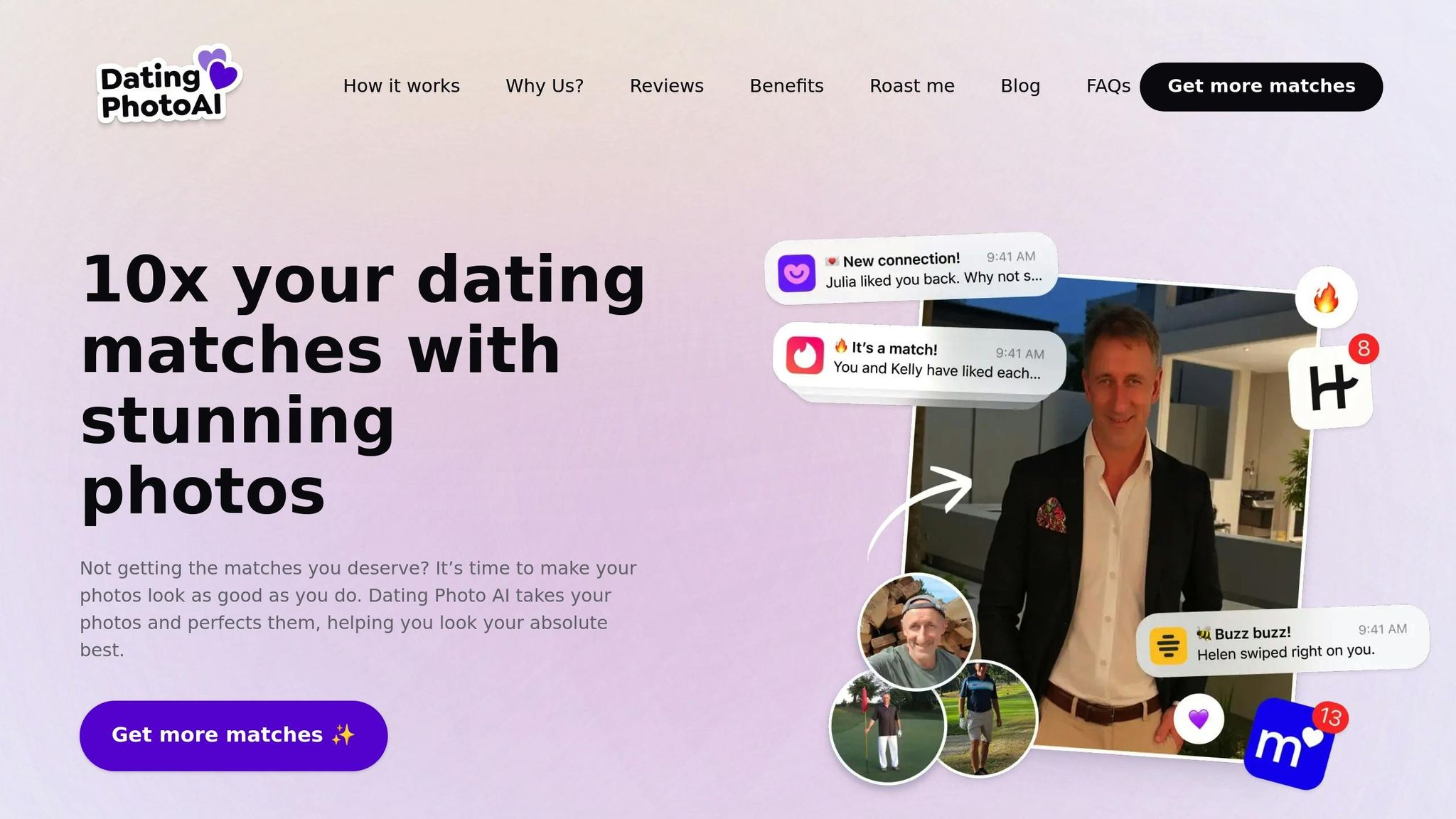
Dating Photo AI provides a simple way to create natural-looking, high-quality images tailored to enhance your Hinge profile.
Create Realistic, Quality Photos
Dating Photo AI specializes in generating portraits that mimic casual smartphone photos instead of overly polished studio shots. The tool retains natural details like visible pores, small wrinkles, and skin textures, avoiding the overly smooth look that can make photos appear artificial or even get flagged by Hinge [14][5]. Unlike many AI tools, this one focuses on realism by preserving those subtle imperfections [14][12].
To start, upload 10–20 clear selfies with a variety of poses and lighting. This diversity allows the AI to learn your unique features. After a quick training period (around five minutes), you can generate photo packs specifically designed to match Hinge's lifestyle-focused aesthetic [15][4].
The AI can also enhance your photos with realistic lighting effects, like "golden hour" or "afternoon glow", and place you in casual settings such as cafes, rooftops, or parks [14][1]. It even simulates natural smartphone photo traits, like compression and micro-noise, and embeds metadata to make the images feel authentic to both Hinge moderators and its verification system [1]. Most importantly, the AI ensures your facial structure remains true to life rather than overly glamorized [1][5].
Pick the Right Plan
Dating Photo AI offers three plans to cater to different needs:
| Plan | Photos Generated | Key Benefit for Hinge |
|---|---|---|
| Starter | 40 | Budget-friendly for first-time users |
| Dater | 80 | Explore various styles and settings |
| Casanova | Unlimited | Full creative control with custom prompts |
The Starter plan is ideal if you're new to AI-enhanced photos [15]. For more variety, the Dater plan lets you experiment with different styles, outfits, and scenic backdrops - especially useful since travel-themed photos can boost likes by 30% [4]. The Casanova plan offers unlimited photos and advanced customization with prompts like "candid moment at a coffee shop", helping you align perfectly with Hinge's relaxed, conversational tone [15].
Once you choose a plan, you can seamlessly integrate your AI-generated photos into your profile.
Add AI Photos to Your Profile
After selecting your plan, carefully curate your profile by mixing AI-generated images with genuine photos. This balance helps maintain authenticity and ensures your profile feels relatable.
Before uploading, review the AI photos for any flaws, such as distorted hands, unnatural clothing textures, or overly smoothed skin - these are easy for others to spot [5]. Use the AI to create aspirational scenarios that reflect your interests, like hiking, enjoying a cozy coffee shop, or traveling. Including a group photo with friends can add a layer of social proof.
Focus on "personality-forward" presets that highlight conversational poses or hobby-based settings, steering clear of stiff or overly formal images. Keep in mind Hinge's guideline:
"Your photos must represent you accurately and clearly." [1]
Conclusion
After diving into Hinge's guidelines and tips for using AI photos, here’s the bottom line: crafting a standout profile hinges on balancing authenticity with making an impact.
AI-generated photos can elevate your Hinge profile when used thoughtfully. The key is to enhance your best features without losing the essence of who you are. Opt for AI tools that keep things realistic - natural textures, subtle imperfections, and a casual, smartphone-style vibe. Mixing AI photos with real snapshots is a smart way to build trust and show off different aspects of your personality. Keep in mind, Hinge favors warm, approachable photos over images that come across as overly sexy or intimidating [16].
Using tools like Dating Photo AI can help you create images that feel genuine and align with Hinge’s focus on meaningful relationships. By staying true to your facial features and incorporating details like natural lighting and relaxed settings, you can craft photos that attract matches who are genuinely interested in getting to know you.
The goal is simple: let AI photos highlight your personality and interests while staying true to who you are. This thoughtful approach not only boosts your profile but also leads to better conversations, deeper connections, and more meaningful dates.
FAQs
Should I disclose that my photos are AI-generated?
Yes, it's important to let others know if your photos are AI-generated. This aligns with Hinge's guidelines, which stress the importance of accurately representing yourself. Being upfront about this not only builds trust but also helps create more meaningful connections with potential matches.
How many AI photos is too many on Hinge?
Using more than one or two AI-generated photos on Hinge could backfire. The platform places a strong emphasis on authenticity, and relying heavily on AI images might not only violate their guidelines but also make your profile seem less genuine. To strike the right balance, consider using just a couple of AI-enhanced pictures that still represent your real self. Keep the rest of your photos natural to create a profile that feels both trustworthy and relatable.
What makes an AI photo fail Hinge verification?
An AI-generated photo might not pass Hinge's verification process if it doesn't genuinely represent you or breaks their guidelines for authenticity. Common reasons for rejection include images where your face is obscured, pictures with multiple people, or those heavily edited with filters that change your appearance. To meet Hinge's standards, stick to clear, natural photos that showcase the real you.